January 21, 2026 08:55 by
 Peter
PeterThe resource you are searching for is either temporarily unavailable, has been removed, or has had its name changed.

While working on an MVC web project today, I noticed this problem, which is frequently seen when operating websites and carrying out any CRUD (Create, Read, Update, Delete) activity. I choose to explain the solution here because there are a lot of these questions in the Stackoverflow forum. I believe most requests can be fulfilled, albeit you might not find it helpful in your situation.
I'll show you a picture of an error page:
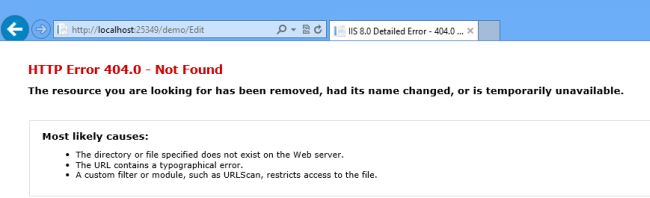
Look at the URL in the above image. The URL is requesting a view/page to edit the record but unfortunately the page is not found. Actually the page/view is already there but the problem is, we are not supplying the correct ID or say index to edit. In other words we need an URL something like http://localhost:25349/demo/Edit/1 to edit the first record and http://localhost:25349/demo/Edit/2 to edit the second record. Yet in the preceding image we are not supplying the ID.
Let's fix it. Open the "Index" view of the "demo" controller and look at the existing code:
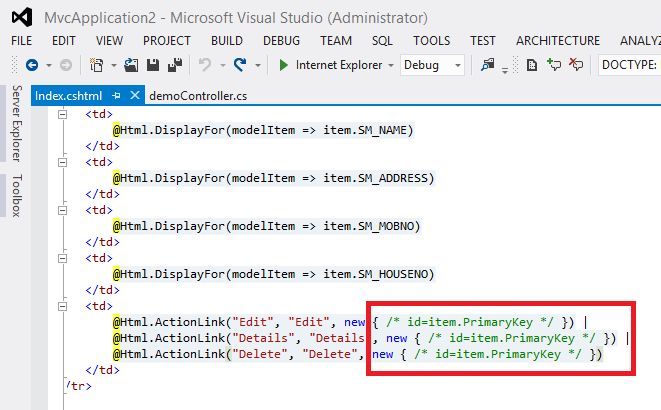
Oh! there is a comment instead of the ID parameter, so once you change it, such as in the following:
<td>
@Html.ActionLink("Edit", "Edit", new { id=item.SM_UID }) |
@Html.ActionLink("Details", "Details", new { id=item.SM_UID }) |
@Html.ActionLink("Delete", "Delete", new { id=item.SM_UID })
</td>
Your application will work fine.
I hope this fix will help you.
January 8, 2026 08:34 by
PeterWhy is this necessary?
Let's examine the picture that follows.
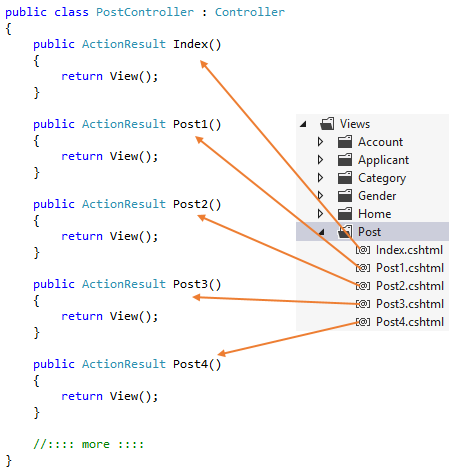
You can see that there is a corresponding controller action for every view in the image above. There is only one line of code in each of these activities. In actuality, the exact same line of code appears in each of these activities. Furthermore, this is totally superfluous. When you receive hundreds or thousands of views, just think of what you will do. Will you produce thousands or hundreds of controller actions? Of certainly not, but how can we make it right?
When we try to launch an action on a controller that doesn't exist (or when we request a view that doesn't have a corresponding action method), the MVC Framework's controller class contains a method called HandleUnknownAction().
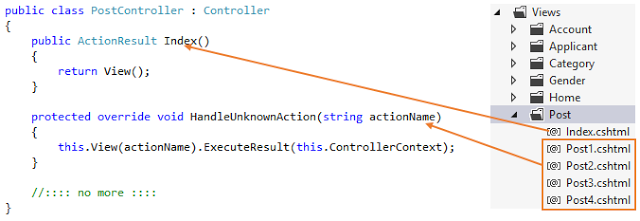
Now we are taking advantage of the HandleUnknownAction() method to render views even when a corresponding controller method does not exist. In the image above you can see we don't have Post5.cshtml, so when I tried to access the Post5.cshtml view, it shows the following error.
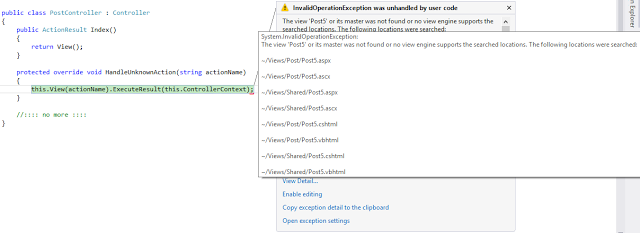
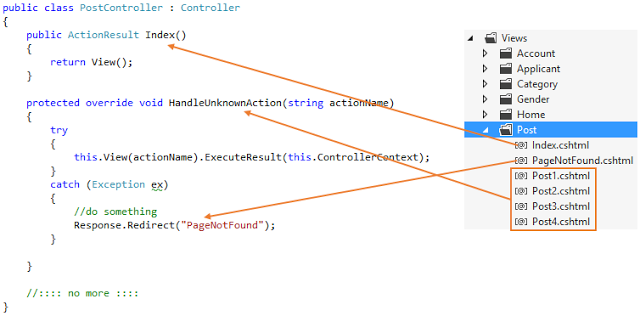
Here's how to utilize a straightforward try-catch block to fix this problem and reroute the user to a PageNotFound view.